Credits and balance
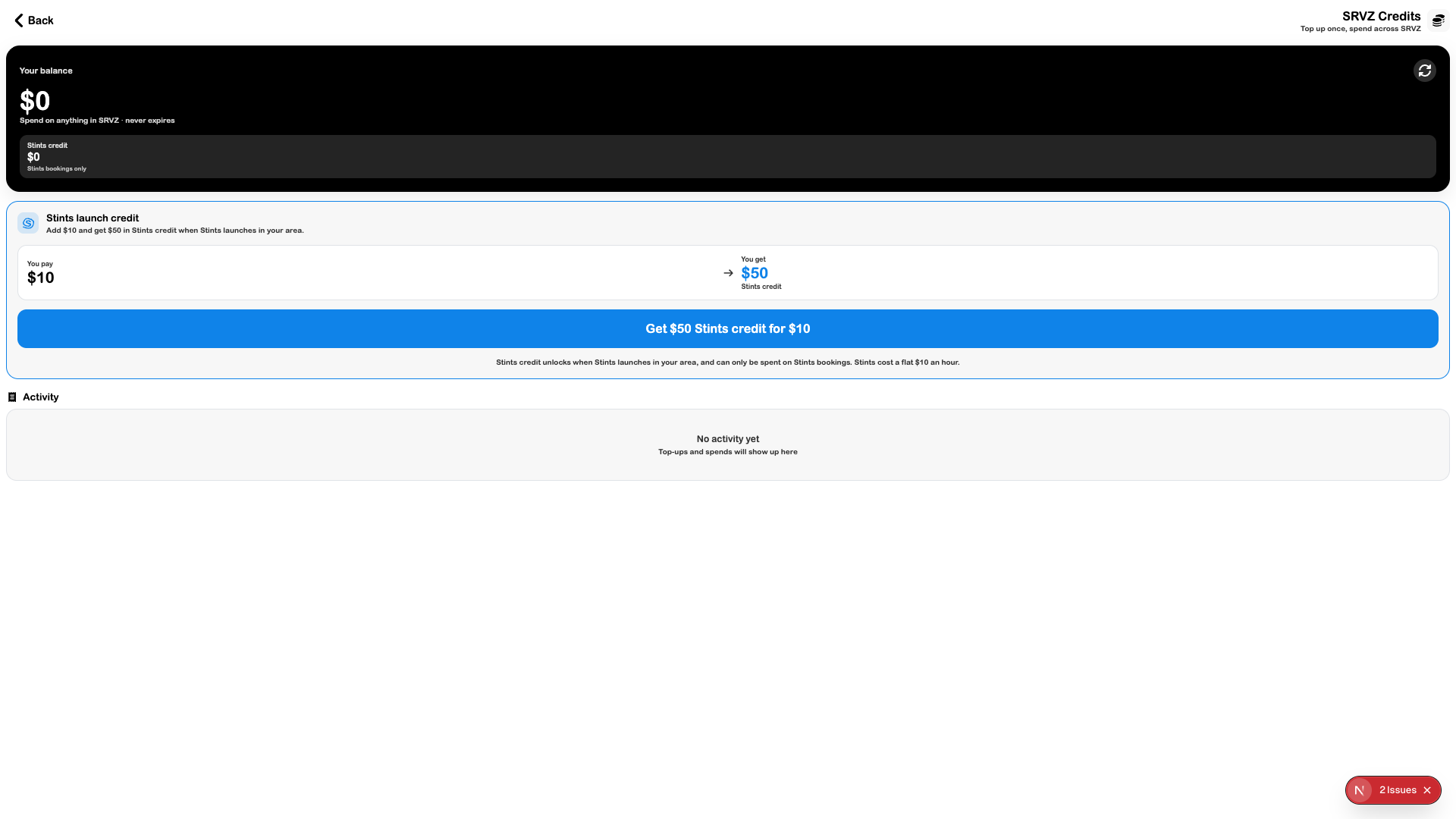
Credits shows the account balance, Stints-specific credit, top-up offers, and activity. The page distinguishes general SRVZ credit from credit restricted to Stints bookings.
A practical example
You want to understand whether a balance can be used for a current purchase or only for Stints after the local launch.
Open the feature
Open this area in SRVZ. Screenshots use the actual local web app and a test account; your saved records and available offers may differ.
Step by step
- Open Account → Credits.
- Review Your balance and Stints credit separately.
- Read the current offer’s terms and restrictions before choosing a top-up.
- Complete a top-up only if you intend the purchase, then check its confirmation and Activity.
- Review the actual checkout for how eligible credit is applied.
Important options
| Option | What it means |
|---|---|
| General balance | Shown as the account’s SRVZ credit balance. |
| Stints credit | The inspected offer states a Stints-only restriction and local-launch condition. |
| Activity | Shows top-ups and spends when records exist. |
Tips
Read current amounts and eligibility on the live page. Do not assume promotional Stints credit is usable for services, rentals, or events.
If something does not work
An empty Activity list can mean there has been no credit activity. A displayed promotion does not establish that Stints has launched in your area. No top-up purchase was made during this audit.